
Balluff Safety Hub: PROFIsafe over IO-Link for Machine Safety
A safety I/O module that connects to an IO-Link master and carries safety signals to the safety PLC as PROFIsafe over IO-Link, alongside standard I/O.
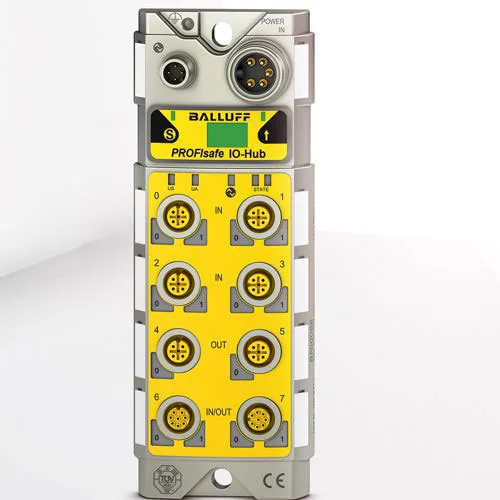
Key Features of the Balluff Safety Hub
Safe I/O
12 safe inputs and 2 safe outputs, with 2 standard inputs and 2 standard outputs.
PROFIsafe over IO-Link
Safety signals travel through the IO-Link master and reach the controller as PROFIsafe over PROFINET.
Safety level
PL e, Category 4 to EN ISO 13849-1, and SIL 3.
Fast response
Maximum response time of 20 ms.
Field mounting
IP67 die-cast zinc housing with M12 connectors, 68 x 32.4 x 181.5 mm.
Approvals
CE, TÜV and cULus.
Balluff Safety Hub Technical Specifications
Tap a group to filter the IO-Link safety specifications, or show them all.
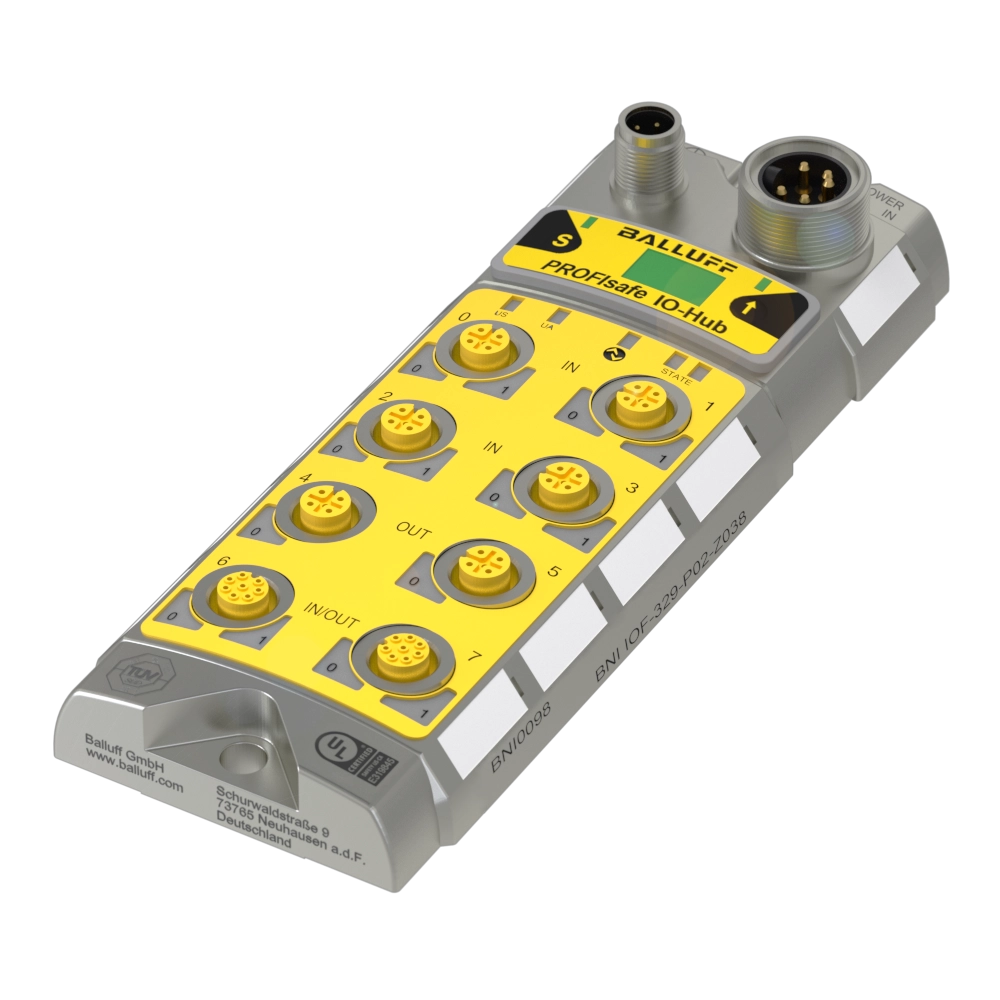
- 12 / 2Safe inputs / outputs
- PL eSafety levelCategory 4
- 20 msResponse timemaximum
- IP67Protection
| Specification | Details |
|---|---|
| Protocol | PROFIsafe over IO-Link 1.1; PROFIsafe over PROFINET to the controller |
| Safe I/O | 12 safe inputs, 2 safe outputs |
| Safety level | PL e, Category 4 (EN ISO 13849-1); SIL 3 (IEC 61508); SIL CL 3 (EN/IEC 62061) |
| Response time | 20 ms maximum |
| Digital I/O | 14 PNP inputs Type 3; 2 push-pull and 2 PNP outputs |
| Current sum | 4.8 A sensor, 8 A actuator |
| IO-Link baud rate | COM2 (38.4 kBaud) |
| Connectors | 2x M12x1 female 8-pin A-coded; 6x M12x1 female 5-pin A-coded |
| Cable length I/O | 30 m maximum |
| Housing | Die-cast zinc, nickel-plated; 68 x 32.4 x 181.5 mm |
| Power supply | 19.2 to 30 V |
| Protection | IP67 |
| Ambient temperature | -5 to 55 °C |
| Approvals | CE, TÜV, cULus, UKCA, WEEE |
Figures from the Balluff Safety over IO-Link brochure and the Balluff BNI0098 product page. The brochure says UL approval is in preparation; the current Balluff page lists cULus, so we show that.
Download BrochureHow does the Balluff Safety Hub work?
Tap a step, or let it run, to follow the signal from the field to the control system.
Step by step:
Safety devices connect to the Safety Hub with M12 cables. The hub packs their signals into PROFIsafe telegrams and sends them through a port of the IO-Link master, which forwards them over PROFINET to the safety controller. The controller switches the hub's safe outputs when a device trips.
Where the Balluff Safety Hub is used
Typical applications for this IO-Link safety, from the manufacturer's documentation.
- 01Danger zonesProtecting people in danger zones with safety light curtains.
- 02Guard lockingGuard locking and access control with safety switches.
- 03Emergency stopImmediate stopping of automated systems.
- 04Less wiringSafety and standard I/O in one IO-Link system, with less wiring and a smaller cabinet.
How the Balluff Safety Hub compares
Other io-link and balluff in our range. The highlighted row is this product. Tap any other name to open its page.
| Product | Type | Signals | Outputs and communication | Supply | Mounting |
|---|---|---|---|---|---|
| Balluff Multiprotocol IO-Link Masters | IO-Link master | 8 IO-Link ports | PROFINET, EtherNet/IP, EtherCAT, Modbus TCP | 18 to 30 VDC | Machine, IP67 to IP69K |
| Balluff IO-Link Sensor and Actuator Hubs | IO-Link hub | 16 DI and 16 DO, or 8 analogue in | IO-Link to one master port | 18 to 30.2 VDC | Machine, IP67 |
| Balluff IO-Link Sensors | IO-Link sensors | Inductive, optical, capacitive, magnetic, distance, pressure | IO-Link 1.1 plus switching or analogue | 10 to 30 VDC, model dependent | Machine and process |
| Balluff Condition Monitoring Sensors | Condition monitoring sensor | 3-axis vibration, contact temperature | IO-Link | 24 V DC | Machine mount, IP67 to IP69K |
| autosen AS005 IO-Link Flow Sensor | Thermal flow sensor | Flow and temperature, liquids and gases | 2 switching, 4 to 20 mA, IO-Link | 18 to 30 V DC | M18 x 1.5 adapter, IP65 and IP67 |
| Balluff IO-Link Safety Hub | Safety I/O hub | 12 safe inputs, 2 safe outputs | PROFIsafe over IO-Link | 19.2 to 30 V | Machine, IP67 |
| Balluff Heartbeat Power Supplies with IO-Link | 24 V power supply | 192 to 360 W | IO-Link diagnostics | 85 to 264 V AC in, model dependent | DIN rail IP20 or field IP67 |
| Balluff M12 Cordsets and Splitters | M12 cordsets | Single, double-ended, Y-splitter, NAMUR | Sensor and power cable | 250 VDC / 250 VAC, 4 A | IP67 to IP69K |
From Selection to a Working Signal in Your Control System
A field signal is only as useful as the value that reaches the control room. Proplant PCE handles the configuration, panel work and integration around the device as well as the device itself.
Application review
We check the signals, channel count, network and mounting before recommending a device.
Supply
Instruments and modules from the brands on this page, with the brochure for your engineering file.
Configuration and installation
Ranges, alarms, addresses and network settings set up, then panel building, cabling and termination by our E&I team.
Integration
Mapping into your PLC, SCADA or historian, and testing until the value on screen matches the field.
What to tell us so we can recommend a device
Tick off what you already know. We will check the Balluff Safety Hub against your application, or suggest a better fit from our range.
Other automation products to consider
Balluff Safety Hub FAQ
What is the Balluff Safety Hub?
A safety I/O module with 12 safe inputs and 2 safe outputs that connects to an IO-Link master and sends safety signals as PROFIsafe over IO-Link.
Which safety level does it reach?
PL e, Category 4 to EN ISO 13849-1, and SIL 3.
Which controller does it need?
A safety PLC that receives PROFIsafe over PROFINET, through an IO-Link master with Safety Hub support.
How fast does it respond?
The maximum response time is 20 ms.
Is it UL listed?
The current Balluff product page lists cULus approval.
Can Proplant PCE help me choose the right automation device?
Yes. Send us the signals, channel count, network and mounting, and our team will recommend a suitable device and set it up for your system.
Let's Discuss Your Automation Project
Tell us what signals you need to bring in, where the device sits and what system it reports to. We will come back with a recommendation and the brochure.